

Use cases
One repository, the questions each role asks.
Four roles, four typical questions, and how Vyelta answers them. The examples use a fictitious bank, not a real customer.
Chief architects
“Can I shape the repository to how we actually think, not to a vendor’s framework?”
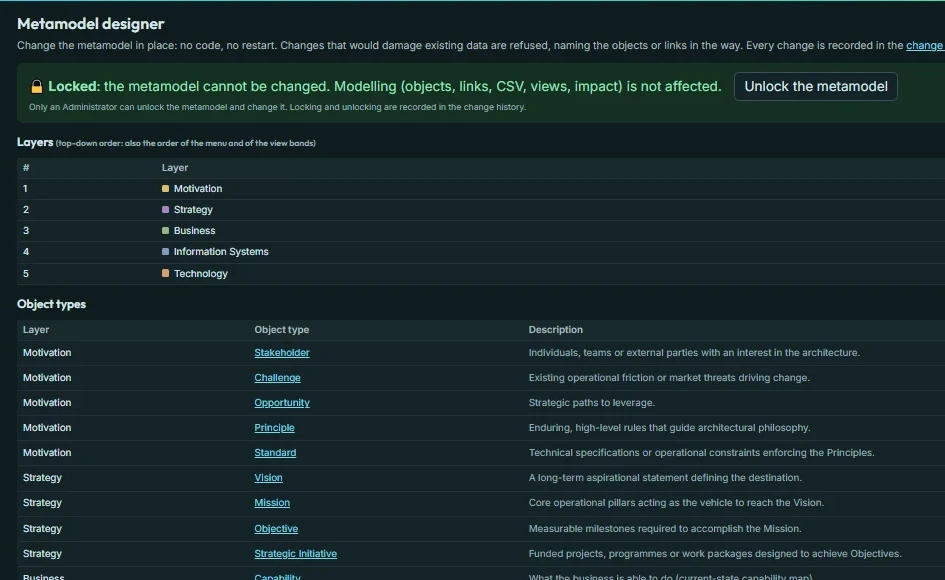
Yes. In Vyelta the metamodel is data that you own: your layers, your object types, your fields and your relationship rules. Start from the ready Core model and change it, or build your own.
- The Metamodel designer, locked by default and open to Administrators only
- Each relationship rule decides how a failure spreads along it, so impact follows your thinking
- Changes that would damage existing data are refused, with the reason
- Take your metamodel with you as a file
CIOs and CTOs
“If this data center goes down, or we retire this server, which business services are hit?”
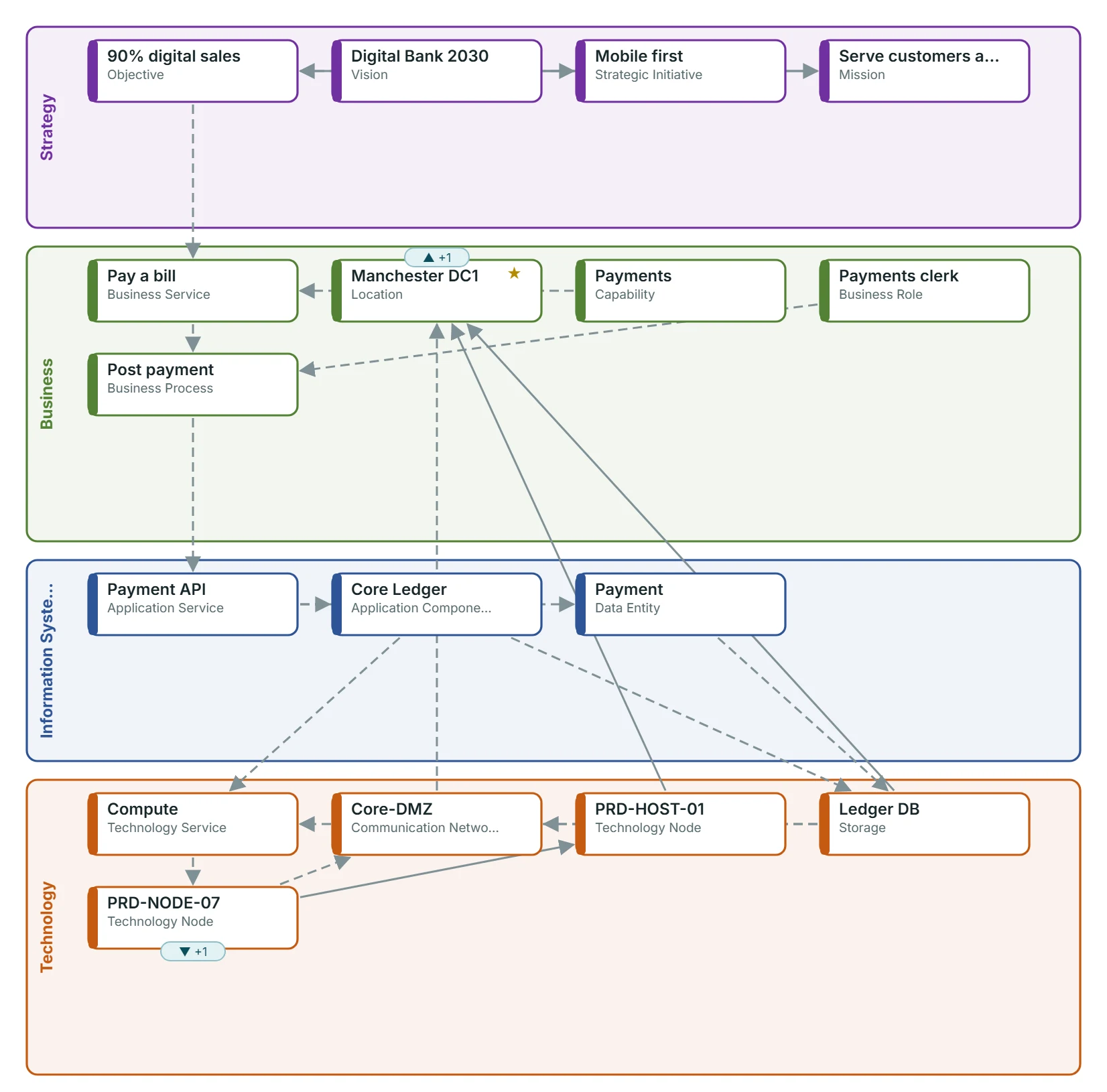
Run an upward impact analysis from the data center or the server. Vyelta lists everything affected, layer by layer, up to your strategy, and shows the chain of links behind each result. Ask the other way round too: what does this initiative rely on?
- Upward and downward impact from any object
- Results grouped by layer, each with the path that explains it
- Open the result as a view to put in front of the board, or export it to CSV
Enterprise architecture teams
“How do we fill the repository fast and keep it clean?”
Import what you already keep in spreadsheets, then build the rest top-down. Vyelta checks every link against your rules and tells you what is missing.
- CSV import with a “check only” test run first
- The Explorer and the Matrix offer only the links your metamodel allows
- Missing expected links are marked; a validation report lists the rest
- Viewer, Architect and Administrator roles, and a change history nobody can alter
Consultancies
“Can I stand up a client’s landscape in days and hand over something branded?”
Load your own metamodel from a file, import the client’s spreadsheets, and put the client’s name and logo on the screens and on every exported view.
- Reuse one metamodel file across clients
- CSV import with a test run, so the first import is the right one
- Branded exports in PNG, SVG and PDF
Try it on your own architecture for 90 days.
Free, private, nothing to install. We reply within 2 business days.